
Digital products rarely stay local for long. A startup launched in California may attract users in Germany within months. A UK-based SaaS tool might suddenly gain customers across Canada, Australia, and Eastern Europe.
In today’s connected world, designing for global audiences has become a core skill for modern designers.
But designing for international users is not simply a matter of translating text into another language. Cultural expectations influence how people interpret colors, symbols, layouts, navigation patterns, and even tone of communication.
A design that works perfectly in the United States might feel confusing or untrustworthy in another region. Likewise, certain visual elements popular in Western Europe may not resonate with users in other cultures.
This article explores the key cultural differences every designer should understand when designing for global audiences, along with practical strategies for building inclusive, intuitive digital experiences.
Why Cultural Awareness Matters in Design
Design communicates meaning long before users read any text. Colors, images, icons, and layouts all carry cultural signals.
When those signals align with user expectations, products feel intuitive and trustworthy. When they clash with cultural norms, users may feel uncomfortable—even if they cannot explain why.
Consider these examples:
An e-commerce site designed for US audiences might emphasize individual choice and personalization.
A platform designed for some European markets may prioritize clarity, trust, and transparency in information presentation.
Ignoring cultural context can lead to:
lower user engagement
misunderstanding of content
decreased trust in the brand
For companies expanding into global markets, international UX design can significantly influence product adoption.
Key Cultural Differences in Global User Experience Design
When designing products for international users, several cultural factors influence user behavior and expectations.
Understanding these factors helps designers create interfaces that feel natural to diverse audiences.
1. Language and Content Structure
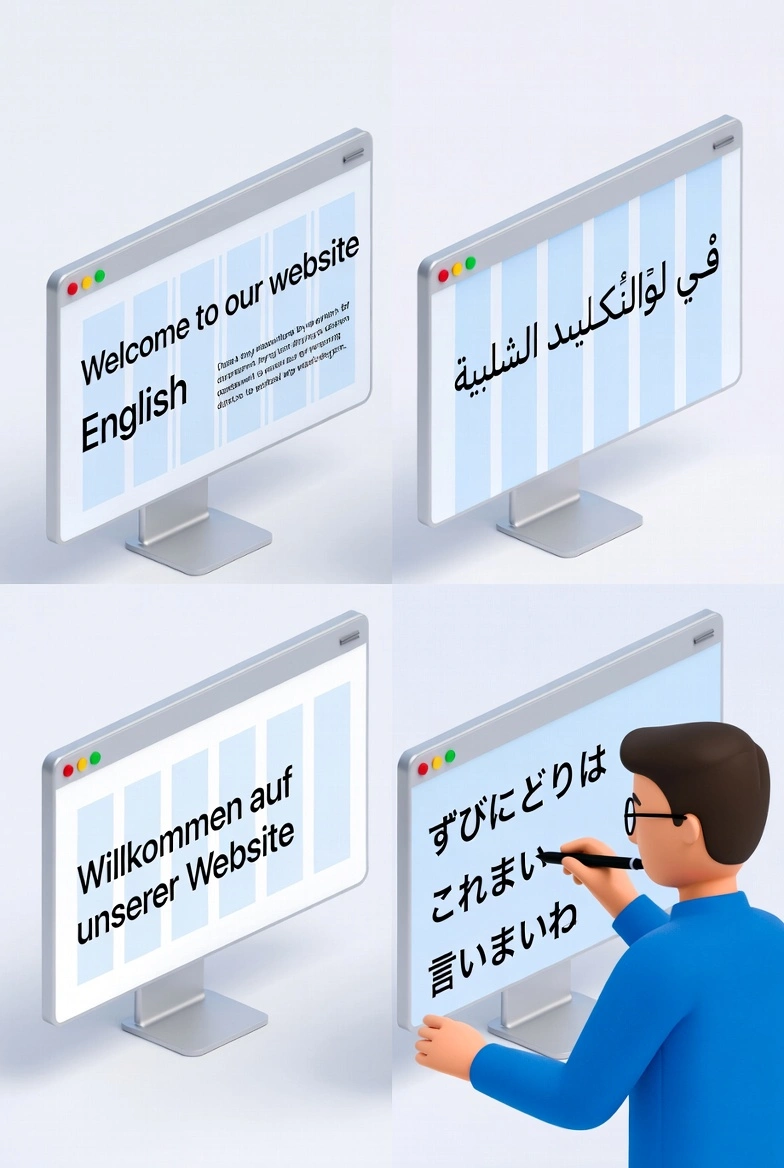
Language differences affect much more than translation.
Text Expansion and Layout
Some languages require more space than English. For example:
German text often expands by 20–30%.
Finnish or Hungarian phrases may be longer than their English equivalents.
If designers create rigid layouts, translated content may break the interface.
Best practice:
Design flexible layouts that allow text expansion.
Avoid embedding text inside images.
Reading Patterns
Different languages follow different reading directions.
Examples include:
English, French, and German: left to right
Arabic and Hebrew: right to left
Even within English-speaking markets such as the US, UK, and Australia, content structure expectations can vary slightly depending on context and industry.
Designers should consider these patterns when building global user experience design systems.
Color Meanings Across Cultures
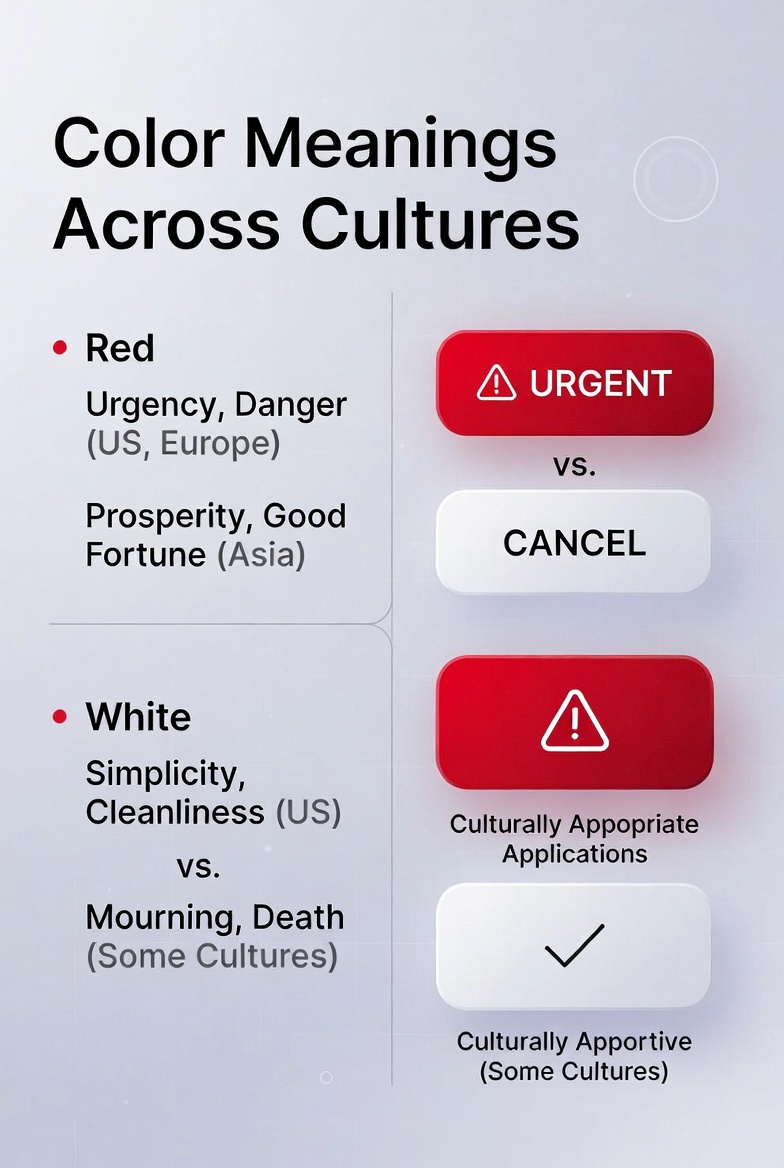
Color is one of the most powerful elements in visual communication—but it also carries different meanings across cultures.
Understanding cultural differences in design helps avoid unintended signals.
Examples of Cultural Color Differences
Red
United States & Western Europe: urgency, excitement, warning
Some Asian cultures: prosperity, celebration
White
US & Europe: cleanliness, simplicity
Some cultures: mourning or funerals
Green
Many Western countries: sustainability and nature
In financial contexts: wealth or growth
For designers creating global products, the safest approach is to use color strategically and test with local audiences whenever possible.
Symbols and Icons: When Visuals Don’t Translate

Icons often appear universal, but their meanings can vary between cultures.
For example:
A mailbox icon used for email may look unfamiliar in countries where mailboxes have different shapes.
A hand gesture icon may carry different meanings across regions.
Even simple symbols can create confusion.
proven approaches for Global Icon Design
To avoid misinterpretation:
Use widely recognized symbols
Pair icons with text labels
Test icon comprehension with international users
This approach improves accessibility and reduces ambiguity.
Cultural Differences in Layout and Information Density
Another important aspect of cross-cultural design is how information is organized on a page.
Different cultures prefer different levels of visual complexity.
Minimalism vs Information Density
In many Western markets—especially the US, Canada, and parts of Europe—modern design trends emphasize minimalism.
Typical characteristics include:
large white space
simple navigation
limited text
However, in some other markets, users may expect more detailed information on the screen.
For example:
Some e-commerce sites in Eastern Europe and Asia show more product details upfront.
Minimal layouts might appear incomplete or lacking information.
Designers should adapt layouts based on audience expectations.
Trust Signals Across Global Markets
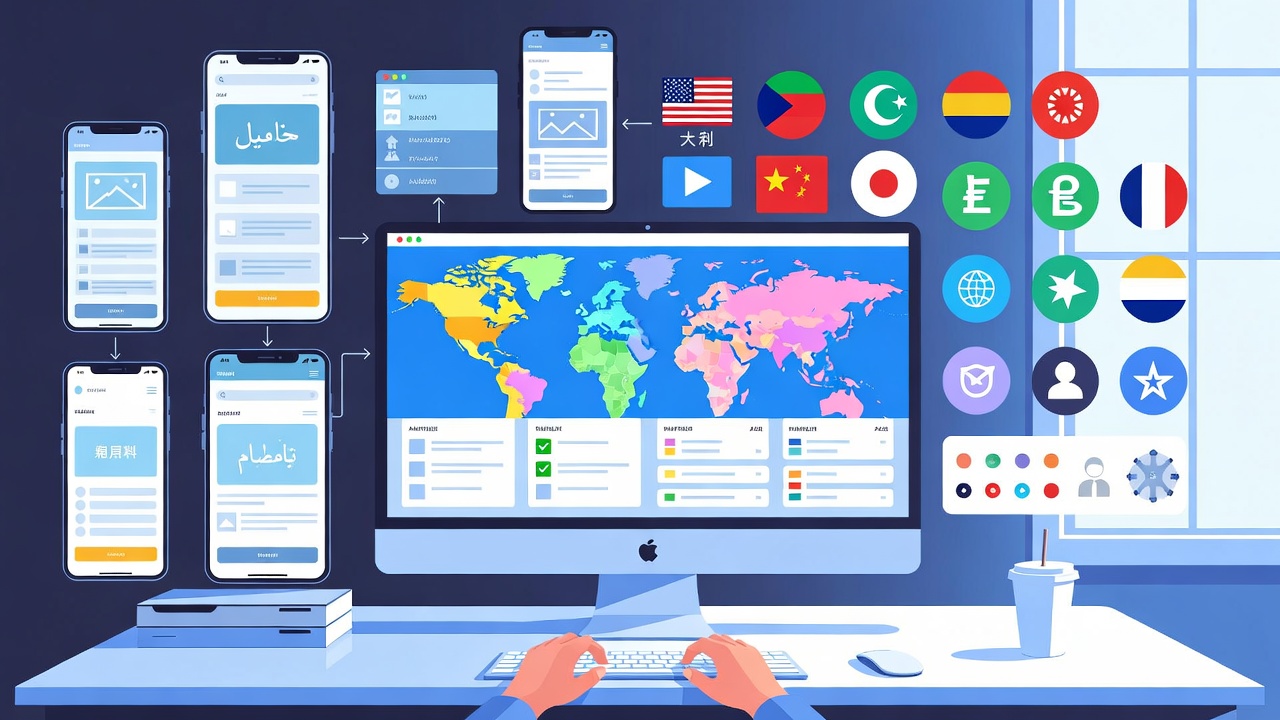
Trust plays a major role in global user experience design.
However, what builds trust can vary significantly between cultures.
Common Trust Signals in Western Markets
In regions like the US, UK, and Western Europe, trust often comes from:
customer reviews
security badges
professional design
clear return policies
For example, online retailers may display:
verified customer ratings
payment security icons
clear shipping information
These elements reassure users during purchasing decisions.
Transparency and Privacy Expectations
European users are particularly sensitive to data privacy.
Regulations like the General Data Protection Regulation (GDPR) have made transparency essential for digital products operating in Europe.
Designers should ensure:
clear consent prompts
transparent data usage explanations
accessible privacy settings
Designing for Global Accessibility
Accessibility is an essential part of designing for international users.
Accessible design improves usability for people with disabilities and often improves the experience for everyone.
Accessibility Considerations
Key accessibility principles include:
high color contrast
readable typography
clear navigation structure
screen reader compatibility
Countries across Europe, North America, and Australia increasingly expect digital products to follow accessibility standards.
Ignoring accessibility can exclude large groups of users.
The Role of UX Localization

Localization goes beyond language translation. It adapts a product to local expectations and cultural norms.
Effective UX localization proven approaches include:
adapting imagery to local cultures
adjusting tone of communication
converting measurements and formats
For example:
Date formats differ:
US: month/day/year
Many European countries: day/month/year
Currency formats also vary. A product may show prices like:
$50–$100 in the United States
€45–€90 in European markets
These details help products feel native rather than foreign.
A Simple Framework for Designing Products for Global Markets
Designing for global audiences becomes easier with a structured process.
Here is a practical framework.
Step 1: Understand Your Target Regions
Before designing, research the regions where your users live.
Key factors include:
language preferences
cultural norms
technology adoption
Step 2: Conduct Cross-Cultural User Research
Research should include users from multiple regions.
Methods may include:
remote interviews
usability testing
behavioral analytics
These insights reveal cultural expectations that may not be obvious to designers.
Step 3: Build Flexible Design Systems
Design systems should support localization.
Examples include:
flexible layouts
scalable typography
adaptable navigation
Step 4: Test With Real Users
Testing with international users helps uncover issues early.
Even small usability studies can reveal problems related to:
translation clarity
layout structure
cultural interpretation
Common Mistakes When Designing for Global Audiences
Even experienced designers sometimes overlook cultural differences.
Here are common mistakes to avoid.
Assuming One Design Works Everywhere
A design that succeeds in the US may not perform the same way in Europe or Australia.
Always validate assumptions through research.
Relying Only on Translation
Translation without localization often creates awkward or confusing experiences.
Interfaces should adapt culturally, not just linguistically.
Ignoring Cultural Context in Imagery
Stock images that feel normal in one culture may appear unrealistic or irrelevant elsewhere.
Choose visuals that reflect diverse users.
Overlooking Local Regulations
Some regions have stricter requirements around privacy, accessibility, and consumer protection.
Designers should collaborate with legal or compliance teams when launching products internationally.
(This article provides general information and should not be interpreted as legal advice.)
Practical Tips for Designers Working on Global Products
Designers can immediately improve international usability by following these strategies.
Design With Flexibility
Avoid rigid layouts that break when content changes.
Flexible components make localization easier.
Keep Language Simple
Plain language translates better across cultures.
Avoid idioms or region-specific expressions.
Use Universal Interaction Patterns
Common interface patterns—such as search bars, shopping carts, and navigation menus—are widely recognized internationally.
Consistency reduces learning time for users.
Collaborate With Local Experts
When entering new markets, working with local designers or researchers can provide valuable cultural insights.
The Future of Global Design
As digital products reach more international users, multicultural design strategies will become even more important.
Global design is no longer limited to large corporations. Startups, SaaS platforms, and independent creators now reach audiences across continents.
Designers who understand cultural differences gain a powerful advantage:
They can create products that feel natural to users anywhere in the world.
Conclusion: Design for People, Not Just Screens
Design is ultimately about communication.
When designing for global audiences, the goal is not simply to translate interfaces—but to respect cultural expectations and user behavior.
To recap, successful global design requires:
understanding cultural differences
adapting layouts and visuals
localizing language and content
testing with international users
By applying these principles, designers can create digital experiences that feel intuitive and welcoming across borders.
Next step:
Choose one product you use frequently and evaluate how well it adapts to different cultures. This simple exercise can sharpen your awareness of global UX design challenges.
FAQ
What does designing for global audiences mean?
Designing for global audiences means creating products that work effectively for users from different cultures, languages, and regions. It involves adapting design elements such as layout, color, content, and navigation to meet international expectations.
Why are cultural differences important in UX design?
Cultural differences affect how users interpret visuals, symbols, colors, and information structure. Ignoring these differences can lead to confusion, reduced trust, and poor user experience.
What is cross-cultural design?
Cross-cultural design focuses on creating digital experiences that work across different cultural contexts. It considers language, symbols, user behavior, and cultural expectations.
How does localization improve user experience?
Localization adapts content and interfaces for specific regions. This includes translating language, adjusting date formats, using local currency, and adapting visuals to match cultural norms.
What are common mistakes in global UX design?
Common mistakes include relying only on translation, ignoring cultural meanings of colors or symbols, assuming one design works everywhere, and failing to test with international users.