
Gary runs a family plumbing and heating business in Leeds. Twelve engineers, two office staff, a van fleet, and a jobs system that lived inside four different spreadsheets, a whiteboard, and Gary's head.
In early 2025, Gary's cousin — not a developer, a former teacher — spent a long weekend setting up Jobber for scheduling and dispatch, Xero for accounting, and a basic customer portal. She connected the three with a handful of Zapier automations. The total cost: £127/month ($160). The total setup time: roughly 14 hours spread across two days.
Within six weeks, Gary's admin overhead had dropped by 11 hours per week. Invoice-to-payment time fell from an average of 23 days to 8. Missed appointments — previously running at about three per month because of scheduling confusion — dropped to zero.
"I kept thinking it would be complicated," Gary told me. "It wasn't complicated. I just didn't know where to start."
That's the real story of digital transformation for traditional industries in 2026. Not the multi-year, seven-figure enterprise programme you read about in Harvard Business Review. Not replacing your staff with robots. For most traditional businesses — plumbing firms, solicitors, independent retailers, GP practices, manufacturers, builders — digital transformation is closer to what Gary did: replacing friction with flow.
The gap between traditional businesses that have done this and those that haven't is widening. According to a 2023 Modus Create and Ascend2 survey of product development and executive decision-makers at mid-to-large enterprises in the US and UK, 41% of firms saw a higher ROI within just two years of adopting digital transformation. Coherent Solutions The cost of not digitising isn't staying still. It's compounding.
This is the practical guide for businesses that want to start — not businesses that have the budget for consultants.
"Digital transformation" is one of the most abused phrases in business. For large corporations, it means five-year programmes, steering committees, and systems integrators billing £1,500/day.
For a traditional SME, it means something more specific and considerably more manageable: replacing paper, manual processes, and disconnected tools with connected digital systems that share information automatically.
Think of it this way. Before digital transformation, a typical job at Gary's plumbing firm worked like this: customer calls in → engineer writes it on a pad → someone transcribes it to the whiteboard → someone puts it in the spreadsheet → someone calls the engineer → job gets done → engineer texts office → someone raises invoice in a different system → invoice gets emailed → payment arrives → someone reconciles it in a third system.
That's seven manual handoffs for a single job. Each one is a point where information can get lost, delayed, or entered incorrectly. After digitisation, it's two: job created (by customer or office) and job completed (by engineer). Everything else is automated.
Digital transformation doesn't begin with software. It begins with better questions, clearer priorities, and the willingness to change. UK research consistently shows that SMEs investing in practical digital training outperform those that focus solely on tools. Daily Business
The question isn't "what software should I buy?" It's "where does our business lose the most time, money, or accuracy — and is there a tool that specifically fixes that problem?"
Meet Amara: How a Solicitor's Firm Saved £34,000 in Year One
Amara runs a four-partner solicitor's practice in Birmingham. Sixty staff, a client base built over twenty-eight years, and in 2024, a document management system that still relied heavily on physical files, shared drives, and a case management tool from 2009.
The transformation wasn't dramatic. It happened in three phases over eighteen months.
Phase one: Amara moved all document storage to SharePoint under a Microsoft 365 Business Standard subscription at £10.30/user/month ($13). The immediate gain was searchability — finding any document in under 30 seconds rather than the previous average of four minutes. For sixty staff running multiple cases daily, that's material.
Phase two: She replaced the 2009 case management system with Clio at £75/user/month ($95), connecting it directly to the Microsoft 365 environment. Client onboarding time dropped from an average of two working days to four hours. Invoice generation, which had required a paralegal to manually transfer billing data between systems, became automatic.
Phase three: She connected Clio to Xero for automated billing reconciliation and added DocuSign at £20/user/month ($25) for contract execution. The paper signature process — which previously took an average of 8 days per document including printing, posting, scanning, and re-filing — dropped to same-day.
Total additional monthly spend: approximately £6,330 ($7,980) for all sixty staff on the upgraded stack.
Year-one savings in staff time alone: approximately £34,000. That figure came from a simple time audit Amara ran before and after — how many hours per week each team spent on document retrieval, invoice reconciliation, and contract chasing.
"The number that surprised me," Amara said, "was how much time partners were spending on admin. Senior people, billing at £250 an hour, spending forty minutes a day looking for files."
That's the real ROI of digital transformation for traditional businesses. Not the technology. The time it gives back to people who are more valuable than their admin tasks.
Why 2026 Is the Right Moment for Traditional Industries to Move
Global spending on digital transformation is forecast to reach $3.4 trillion in 2026, with a five-year CAGR of 16.3%. Tech The market for digital tools has never been more competitive — which means more options, lower prices, and better support than at any previous point.
Three specific developments make 2026 different from 2022 or 2024.
AI is now embedded in tools you'd already be buying. Xero has AI-powered receipt recognition and cash flow forecasting. Jobber has AI scheduling optimisation. Microsoft Copilot is available inside Word, Excel, and Outlook at £25/user/month ($30) on top of an existing M365 subscription. You don't need to go looking for AI — it's being built into the tools traditional businesses would use anyway.
The UK government support landscape has matured. The Made Smarter programme — the flagship government support initiative for digital transformation in manufacturing and engineering SMEs — has engaged over 800 organisations, invested £112 million in direct grants, created 459 jobs, and upskilled over 8,000 people. Red Eagle Tech For manufacturing businesses specifically, this is the right first conversation to have — not with a software vendor.
The competitive gap has started showing up in margins. The businesses that digitised during and immediately after 2020–2022 have now had three to four years to compound the advantages. Their admin costs are lower, their data is better, their customer experience is faster. In markets where margins were already thin — construction, retail, hospitality, professional services — that gap is starting to look insurmountable for those who haven't moved.
UK SMEs rank 25th globally for digital readiness, lagging behind G7 peers, with only 15% having adopted any form of AI. Red Eagle Tech That means both the urgency and the opportunity are real simultaneously.
The Five-Stage Roadmap for Traditional Businesses

This isn't a framework invented to sell consulting. It's the sequence that works, based on what succeeds across traditional industries in the UK and US.
Stage 1: The Pain Audit (Week 1 — Free)
Before touching any software, spend one week answering three questions:
Where do we lose the most time in a typical week? (Time everyone actually spends on manual tasks — not estimates, actual counts)
Where do we make the most errors that cost us money? (Missed appointments, wrong invoices, incorrect orders, misfiled documents)
Where do customers complain most about speed or communication?
Most traditional businesses already know the answer to all three questions intuitively. The pain audit makes the knowledge explicit and gives you a priority sequence. Fix the biggest pain point first. Not the most exciting technology. The biggest actual pain.
Stage 2: Fix One Thing (Month 1 — Budget £50–£300/month)
Pick the highest-pain process from Stage 1. Find the tool that specifically fixes it. Implement it. Nothing else.
The most common high-priority fixes by industry:
Field service (plumbing, electrical, maintenance): Job scheduling and dispatch — Jobber (£49/month, $59), or ServiceM8 (£35/month, $45)
Professional services (legal, accountancy, consulting): Time tracking and invoicing — Clio (£75/user/month, $95) for legal; Karbon (£49/user/month, $59) for accountancy
Retail: Inventory and point-of-sale — Lightspeed (£69/month, $89), or Square for Retail (free to £49/month, $60)
Construction: Project and site management — Procore (custom pricing) for large operations; Buildertrend (£249/month, $299) for SMEs
Healthcare: Appointment and records — Cliniko (£45/month, $59)
Hospitality: Reservations and front-of-house — SevenRooms or OpenTable (pricing varies by size)
Manufacturing: Production tracking — Katana (£99/month, $129)
Don't try to do everything at once. One tool, working well, delivering measurable benefit — that's Stage 2. Nothing more.
Stage 3: Connect the Systems (Month 2–3 — Budget additional £20–£50/month)
Once Stage 2 is working, the next highest-value action is usually connecting it to your accounting and CRM. Not buying new systems — connecting what you have.
Zapier ($19.99/month, £15.99) or Make (€9/month, £7.70) connect most business tools without custom development. Common high-value automations:
New job in Jobber → automatically creates invoice draft in Xero
New client signed in legal system → automatically creates onboarding task in project management tool
New online order → automatically updates inventory system
Customer payment received → automatically sends thank-you and review request
Each of these eliminates a manual handoff. Each saves between 5 and 30 minutes per occurrence. For businesses processing dozens of these events daily, the maths accumulates quickly.
Stage 4: Build Visibility (Month 3–6)
By this stage, your core operations are digital. The next step is making the data visible — not through a complex BI platform, but through dashboards that answer the questions you actually ask every day.
Most modern SaaS tools have built-in reporting. Use it. At minimum, you want to see: revenue this month vs last month, average time from quote to payment, job completion rates, and customer satisfaction trend. If your current tools don't show you these things, ask your vendor — most have reporting modules that aren't surfaced by default.
For businesses that need more customisation: Google Looker Studio is free and connects to most common business tools via standard connectors. Spend one afternoon building three or four dashboards. You'll use them every week.
Stage 5: Continuous Improvement (Ongoing)
70% of digital transformation projects fail, according to BCG research. The main cause is not technology, but lack of change management. Kacinka
The businesses that sustain digital improvement are the ones that make it a habit rather than a project. A monthly 30-minute review: what's working, what's not, what one thing could we improve next. That's it. Digital transformation doesn't end — but it doesn't need to be a perpetual crisis either.
The Tool Comparison: By Industry
Industry | First Tool to Buy | Second Tool | Connect Via | Monthly Cost (USD/GBP) | UK Grants Available |
|---|---|---|---|---|---|
Field service / trades | Jobber (scheduling) | Xero (accounting) | Zapier | $78/mo (£62) | Made Smarter (manufacturing only) |
Professional services | Clio or Karbon (case mgmt) | Microsoft 365 | Native integration | $108/mo (£87) per user | R&D Tax Relief (qualifying work) |
Retail | Lightspeed or Square (POS + inventory) | Xero | Native integration | $89/mo (£71) + card fees | HMRC Annual Investment Allowance |
Construction (SME) | Buildertrend (project mgmt) | Xero | Native integration | $299/mo (£239) | Made Smarter / Innovate UK |
Healthcare | Cliniko (appointments/records) | Xero | Zapier | $59/mo (£47) | NHS Digital funding (varies) |
Hospitality | ResDiary or OpenTable (bookings) | Xero | Zapier | $70/mo (£56) | Sector-specific grants vary |
Manufacturing | Katana (production + inventory) | Xero | Native integration | $129/mo (£103) | Made Smarter — significant grants |
The GDPR Problem Traditional Businesses Consistently Miss

This is the section that gets skipped in most digital transformation guides. It shouldn't be.
When you move customer data — names, contact details, appointment history, health information, payment records — from paper or local storage to a cloud SaaS tool, you're creating a data processing relationship governed by UK GDPR.
UK GDPR doesn't prohibit this. But it requires:
A legal basis for processing (legitimate interests, contract, or consent — choose correctly for your use case)
A Data Processing Agreement with the software vendor where they're processing personal data on your behalf
Appropriate security measures — which at minimum means strong passwords, MFA, and not sharing logins
A privacy notice that accurately describes how you use customer data
Most small businesses using cloud SaaS tools for customer management are operating without a signed DPA with their vendor. All the major vendors — Xero, Jobber, Cliniko, Buildertrend, HubSpot — have DPAs available on request. Most don't send one automatically. You have to ask.
The ICO (Information Commissioner's Office) provides free resources at ico.org.uk specifically for small businesses. The SME checklist on their site takes about an hour to work through and covers everything a traditional business needs to know. Do this before migrating customer data to any new system.
What Most Digital Transformation Guides Get Wrong
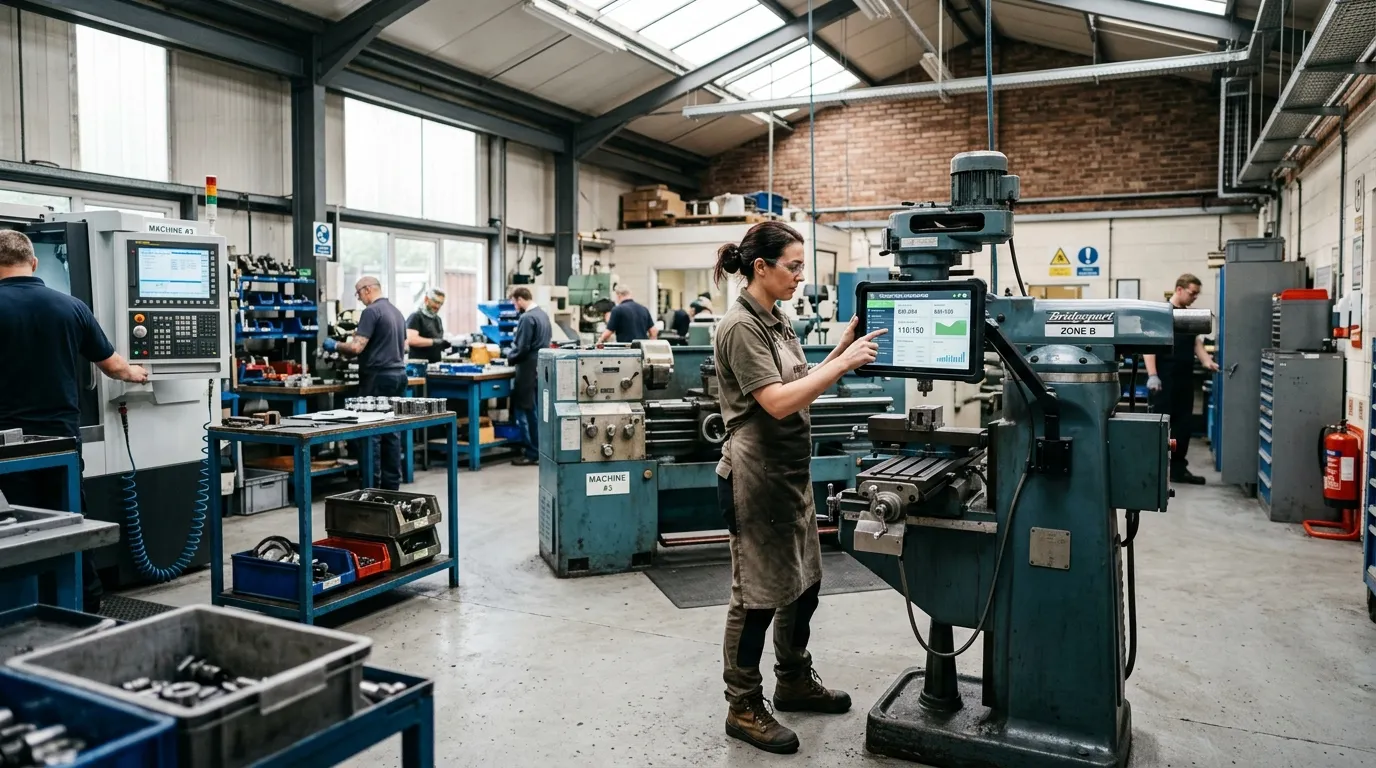
Most guides treat digital transformation as a technology problem. It isn't. It's a change management problem that happens to involve technology.
UK SME studies show that businesses where senior leaders actively champion digital change are twice as likely to complete transformation initiatives successfully. Daily Business That means the most important action in any digital transformation isn't choosing the right software. It's the owner, partner, or managing director using the new system themselves, visibly, from day one.
If Gary had handed the Jobber rollout to a junior member of staff and kept using the whiteboard himself, the business would have had both systems in use simultaneously — creating more confusion, not less. He didn't. He used Jobber from the first day it went live, and the team followed.
The conventional wisdom says: plan thoroughly, implement carefully, optimise continuously. For most SMEs earning under £2 million/$2.5 million revenue, the smarter approach is: start with the smallest possible implementation that solves the biggest problem, get it working, learn from it, and expand. Analysis paralysis kills more digital transformation projects than bad tool choices.
Start imperfect. Fix as you go.
US vs UK: Key Differences in the Support Landscape
UK-specific advantages:
Made Smarter Programme: Free expert advice and grants of up to £20,000 for manufacturing SMEs adopting digital tools. Covers hardware, software, and training costs. One of the most generous SME digital transformation programmes in the G7.
R&D Tax Relief: For qualifying software development or digital innovation work, UK SMEs can claim enhanced tax relief (effectively 27% back on qualifying costs). Ask your accountant whether your current technology investment qualifies.
Annual Investment Allowance: 100% first-year capital allowance on qualifying IT equipment and software, up to £1 million. Significantly reduces the after-tax cost of larger technology investments.
Innovate UK grants: Project-based grants for businesses developing or adopting innovative technology. Competitive but substantial — grants from £25,000 to £2 million for qualifying projects.
US-specific advantages:
SBA Technology Assistance Programs: The Small Business Administration offers free consulting via SCORE and Small Business Development Centers (SBDCs) — both include technology advisers who can help SMEs assess and implement digital tools.
Section 179 Deduction: US businesses can deduct the full cost of qualifying business software in the year of purchase rather than depreciating it over time. Up to $1,160,000 in 2023 (limits increase annually). Makes larger software investments more immediately affordable.
State-level grants: Many US states offer digital modernisation grants for businesses in specific sectors. Manufacturing, healthcare, and agriculture are most commonly covered. Check your state economic development office.
Conclusion: Three Things Worth Taking Away
Key takeaways
Start with the pain, not the technology. The businesses that fail at digital transformation are the ones that buy software looking for a problem to solve. The businesses that succeed are the ones that identify the single process costing them the most time or money and find the specific tool that addresses it. Gary's plumbing firm didn't need an enterprise digital strategy. It needed Jobber.
The connection between systems is where the real value is. Individual tools save time. Connected tools transform operations. The Zapier automation that moves a completed job in Jobber to a draft invoice in Xero isn't glamorous. It saves four minutes per job. At thirty jobs per day, that's two hours of admin eliminated, every working day, indefinitely.
UK SMEs have more funding support available than most know about. The Made Smarter programme, R&D Tax Relief, AIA, and Innovate UK grants collectively represent a substantial government subsidy for digital investment. For manufacturing businesses especially, talking to Made Smarter before buying any technology is the correct first step — not the software vendor's sales team.
Your next action: This week, run a one-hour pain audit with your team. Ask everyone to write down the three tasks in their week they find most frustrating or repetitive. Collect those lists. The item that appears most often, or that takes the most time, is your first digital transformation priority. Then find the tool that fixes that specific thing. Start there. Everything else can wait.