
As digital products grow, design complexity grows with them. What starts as a simple interface can quickly evolve into dozens of screens, components, and design patterns. Without structure, this growth often leads to inconsistent user experiences.
That’s where a design system becomes essential.
A design system is more than a style guide. It is a structured collection of reusable components, design principles, and documentation that helps teams create consistent, scalable interfaces.
Companies across the United States, the UK, and Europe rely heavily on design systems to maintain product quality while scaling development. Even smaller startups and SaaS platforms increasingly adopt them to speed up workflows and reduce design inconsistencies.
we’ll explore how to build and maintain a design system for your product, including practical steps, common challenges, and proven approaches that modern product teams use globally.
What Is a Design System?
A design system is a centralized collection of reusable design elements and guidelines that help teams build digital products consistently.
It typically includes:
UI components
typography rules
color systems
layout guidelines
interaction patterns
documentation for designers and developers
Think of it as a shared language for product design and development.
Instead of designing each screen from scratch, teams can reuse components that already follow established rules.
This approach helps maintain product design consistency, even as the product grows.
Why Design Systems Matter for Product Teams
Without a structured system, design decisions can become fragmented across teams.
Different designers might create slightly different buttons, navigation styles, or layouts. Over time, these inconsistencies confuse users and slow development.
A well-built design system for product teams solves several problems.
Consistency Across the Product
Users expect familiar patterns across a product.
For example:
navigation should behave consistently
buttons should look and function the same everywhere
forms should follow predictable patterns
Design systems ensure these standards remain consistent.
Faster Design and Development
Reusable components allow designers and developers to move faster.
Instead of redesigning elements repeatedly, teams can focus on solving new problems.
Large technology companies in the United States and Western Europe often report significant productivity improvements after implementing design systems.
Improved Collaboration
Design systems provide a shared framework for designers, developers, and product managers.
This reduces misunderstandings and ensures everyone follows the same standards.
Key Elements of a Successful Design System

Not all design systems are created equal. Effective systems contain several core components that work together.
1. Design Principles
Design principles define the philosophy behind the product’s visual and interaction design.
Examples include:
clarity over complexity
accessibility first
consistency across platforms
These principles guide design decisions when new features are created.
2. Visual Foundations
Visual foundations include the basic elements that shape the interface.
Common foundations include:
Color palette
Typography system
Spacing and layout rules
Grid systems
These foundations help ensure visual consistency across screens.
3. UI Components
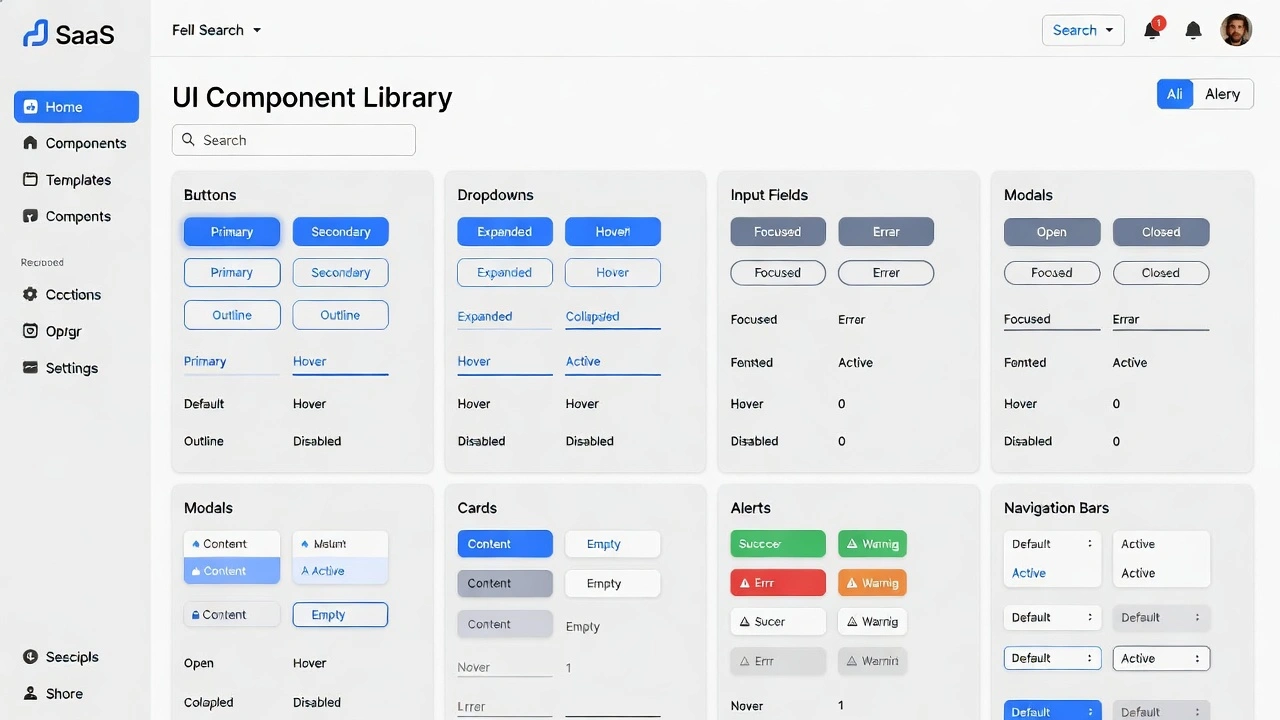
Components are the building blocks of interfaces.
Examples include:
buttons
navigation menus
cards
form inputs
modal windows
Each component should include design guidelines and usage examples.
4. Interaction Patterns
Interaction patterns explain how users interact with the interface.
For example:
how dropdown menus behave
how forms validate input
how loading states appear
These patterns ensure interactions remain consistent across the product.
5. Documentation
Documentation is one of the most important elements of a design system workflow.
Without clear documentation, even well-designed systems become difficult to use.
Documentation typically includes:
design guidelines
component usage instructions
accessibility rules
development implementation details
How to Create a Design System Step by Step
Building a design system may seem overwhelming, but it becomes manageable when broken into stages.
Here is a practical framework used by many product teams.
Step 1: Audit Your Existing Design
Before creating a new system, analyze your current product.
Look for patterns such as:
duplicate UI elements
inconsistent typography
multiple button styles
This audit reveals where consistency is lacking.
For example, a SaaS dashboard used by companies in the US and Canada might contain several versions of the same component created over time.
Identifying these inconsistencies is the first step toward improvement.
Step 2: Define Core Visual Foundations
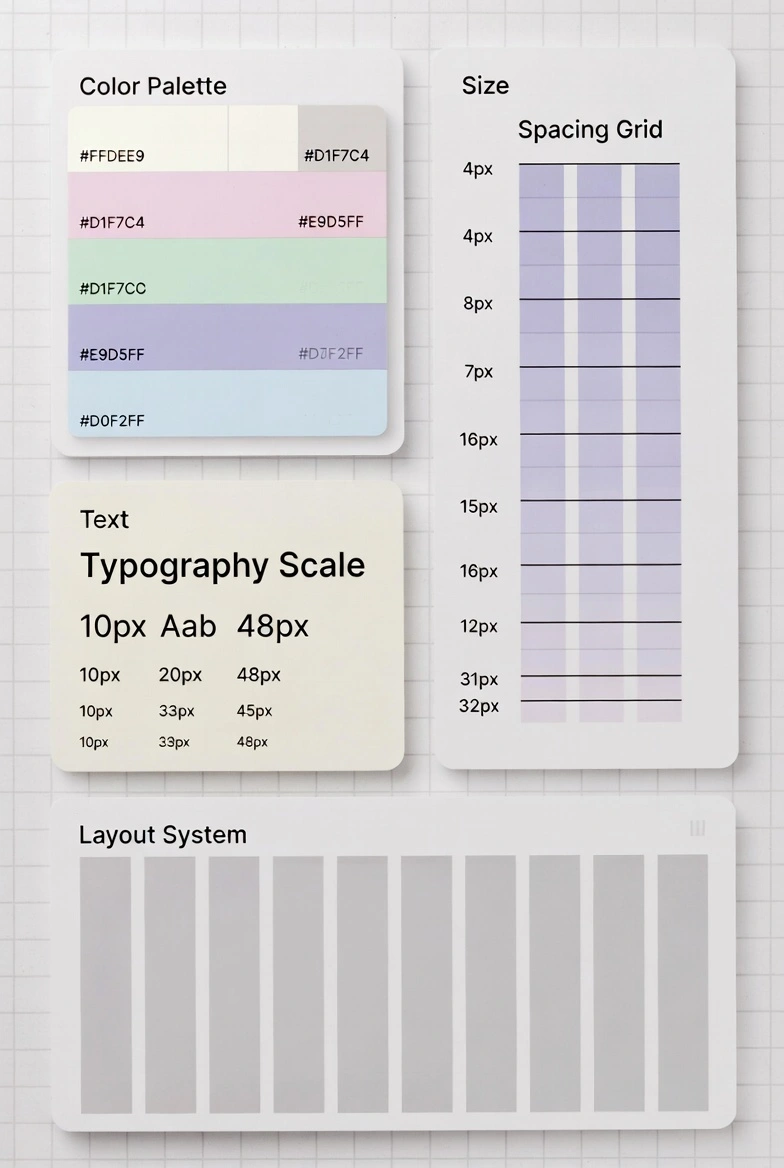
Next, establish the visual foundations of your design system.
These typically include:
Color System
Define primary, secondary, and neutral colors.
Ensure colors support accessibility and readability.
Typography System
Define consistent type scales including:
headings
body text
captions
Consistent typography improves readability and hierarchy.
Spacing System
Spacing rules help maintain visual balance.
Many design systems use spacing scales such as:
4px
8px
16px
32px
This creates predictable layouts.
Step 3: Build Reusable UI Components
Once foundations are defined, designers can create UI design system components.
Start with the most common elements:
buttons
forms
navigation
alerts and notifications
Each component should include:
design variations
usage guidelines
accessibility considerations
The goal is to make components reusable across the entire product.
Step 4: Document Everything Clearly
Documentation transforms a collection of components into a real design system.
Clear documentation helps teams understand:
when to use each component
how components behave
how developers should implement them
Well-known design systems used across organisations often include both design and code documentation.
Step 5: Integrate with Development
Design systems become truly powerful when integrated into development workflows.
Developers often create component libraries that mirror the design system.
This ensures that the components designers use match what developers implement.
Such integration improves scalable UI design across products.
Maintaining a Design System Over Time
Creating a design system is only the beginning. Maintaining it requires continuous effort.
As products evolve, the design system must evolve as well.
Establish Governance
Design systems need clear ownership.
This may include:
a design system team
a product design lead
cross-team governance groups
These roles ensure the system remains consistent and up to date.
Review New Components Carefully
Not every new design element should become part of the system.
Teams should ask:
Is this component reusable?
Does it solve a recurring problem?
Does it align with existing patterns?
If the answer is yes, the component may be added.
Update Documentation Regularly
Outdated documentation can cause confusion.
Whenever components change, documentation should be updated immediately.
Common Mistakes When Building Design Systems
Many teams struggle when implementing their first design system.
Here are common mistakes to avoid.
Building Too Much Too Early
Some teams attempt to design hundreds of components at once.
A better approach is to start small and expand gradually.
Ignoring Developer Collaboration
Design systems must work for both designers and developers.
If developers cannot easily implement components, the system will fail.
Lack of Clear Ownership
Without clear responsibility, design systems quickly become outdated.
Assigning ownership ensures long-term maintenance.
Overly Complex Documentation
Documentation should be clear and practical.
Long, complicated documents discourage teams from using the system.
Practical Tips for Successful Design Systems
Teams can improve their design system workflow by following these strategies.
Start with the Most Common Components
Focus on elements used frequently across the product.
Examples include buttons, navigation, and forms.
Keep Components Flexible
Components should support multiple use cases without becoming overly complex.
Encourage Team Contributions
Design systems work best when teams contribute improvements and feedback.
Test Components in Real Products
Components should be tested in real product environments before being fully adopted.
The Long-Term Value of a Design System
For many companies, the true value of a design system appears over time.
As products grow, the system becomes a foundation for scalability.
Benefits include:
faster feature development
consistent user experience
improved design quality
Companies across North America, the UK, and Western Europe increasingly treat design systems as strategic infrastructure, not just design tools.
Conclusion: Building a Strong Foundation for Product Design
A well-built design system helps product teams create consistent, scalable, and user-friendly interfaces.
By combining reusable components, clear documentation, and collaborative workflows, teams can dramatically improve both efficiency and design quality.
To recap, building a successful design system involves:
auditing existing design patterns
defining visual foundations
creating reusable components
documenting usage clearly
maintaining the system through governance
Whether you're building a startup platform, managing a growing SaaS product, or learning product design, investing in a design system is one of the most effective ways to ensure long-term design consistency.
Next step:
Review your current product interface and identify repeated components. These patterns often provide the starting point for your first design system.
FAQ
What is a design system in product design?
A design system is a collection of reusable components, guidelines, and documentation that help teams build consistent digital products. It ensures that design and development follow the same standards.
Why do companies use design systems?
Companies use design systems to improve design consistency, speed up development, and create scalable interfaces that can grow with the product.
What is included in a design system?
A design system typically includes visual foundations such as colors and typography, reusable UI components, interaction patterns, and documentation for designers and developers.
How long does it take to build a design system?
The timeline varies depending on product complexity. Some teams build basic systems in a few weeks, while larger organizations may develop more comprehensive systems over several months.
How do you maintain a design system?
Maintaining a design system requires clear ownership, regular updates, collaboration between designers and developers, and continuous documentation improvements.