
The Extra Hour That Became Six
In January 2024, a senior marketing manager at a UK tech company started working from home full-time after her company's lease expired and they went remote-first. She was disciplined, experienced, and genuinely enthusiastic about the arrangement.
By June, she was logging an average of 11.2 hours per day — compared to 8.5 hours in the office. She had not been asked to work more. Nobody had explicitly extended her hours. The increase had happened through accumulation: checking Slack before breakfast, staying online for "just one more thing" after dinner, taking her laptop to the sofa after 9pm to clear the messages that had come in during her afternoon meetings.
She did not notice it happening. That is the precise nature of the problem.
A 2025 Microsoft Work Trend Index found that remote workers in the UK and US log an average of 48 minutes more per day than their office-based equivalents — not because they are more committed, but because the physical and psychological triggers that signal the end of the working day no longer exist. There is no commute. No building to leave. No colleagues putting on their coats. The laptop is always there, always open, always one notification away from pulling you back in.
The cost is not abstract. The American Psychological Association's 2025 Workplace Wellbeing Survey found that remote workers who reported poor work-life boundaries were 2.3 times more likely to report burnout symptoms, 1.8 times more likely to report declining relationship quality, and 34% more likely to consider leaving their current role within 12 months.
Boundaries are not a work-life balance lifestyle choice. They are a performance and retention strategy. This guide gives you the system to build them.
Why Remote Work Boundaries Are Harder Than They Sound

The advice is simple: stop working at a fixed time. Close the laptop. Do something else.
The reality is that this advice ignores the structural reasons remote work boundaries collapse — reasons that are not about willpower or discipline but about the specific conditions of distributed work in 2026.
Reason 1: The always-on culture is often implicit, not explicit. Most remote workers are not told to be available at 9pm. They infer it — from a manager who sends Slack messages at 10pm (even if they do not expect a reply), from a culture where fast responses are praised and slow ones are noticed, from the ambient anxiety of not knowing whether being offline is acceptable. The policy says "flexible working." The culture says "always on." The policy loses.
Reason 2: Remote work removes the social permission to stop. In an office, leaving at 5:30pm is visible and socially normalised. Everyone sees you go. In a remote environment, logging off is invisible — and many remote workers feel, consciously or not, that they need to compensate for that invisibility with extended availability. The result is presenteeism by Slack notification.
Reason 3: The physical environment does not signal transitions. The human brain uses physical and environmental cues to shift between states — the commute signals transition from home to work mode; leaving the building signals the reverse. Remove those cues and the brain has no signal to change state. Work thoughts bleed into evening. Evening anxiety bleeds into sleep. Sleep quality declines. The following day's productivity suffers. The additional hours worked are not producing additional output — they are producing additional depletion.
Reason 4: Async communication creates an expectation gap. Async-first communication is the right model for distributed teams. But it creates a specific boundary problem: when messages arrive at all hours, the temptation to respond at all hours is constant. The inbox never reaches zero. The Slack channel never goes quiet. There is always something that could be addressed. The discipline required to not address it is significant — particularly for people whose professional identity is built around responsiveness and reliability.
Understanding these structural causes is the prerequisite to addressing them. Willpower applied to a structural problem produces temporary results. Systems applied to a structural problem produce lasting ones.
Step 1: Define Your Working Hours — in Writing, to Everyone
The most important boundary in remote work is also the most frequently left implicit: your working hours.
Most remote workers have a vague sense of when they work. They do not have a documented, communicated commitment to when they stop. That asymmetry is where boundaries collapse.
Define your working hours with the same specificity you would use for any professional commitment:
"My working hours are Monday to Friday, 8:30am to 5:30pm GMT. I am available on Slack and email during those hours and aim to respond within two hours. I am not available outside those hours except for pre-agreed emergencies."
Then communicate this:
In your Slack profile (set your working hours in Slack's settings — this automatically shows colleagues in different time zones when you are available)
In your email signature
In your team's onboarding document or working norms document
Verbally to your manager, in a short, direct conversation: "I want to make sure we're aligned on this — my working hours are 8:30 to 5:30. I'm fully available and responsive during those hours. Outside them, I'll pick up anything urgent the following morning. Does that work?"
Most managers will say yes. The ones who push back are telling you something important about the culture — information worth having before you are six months into a burnout spiral.
Setting working hours is not laziness. It is a professional norm. Remote-first companies that operate well — GitLab, Automattic, Basecamp, Buffer — all have documented working hours norms. The expectation of constant availability is not a feature of high-performance remote work. It is a bug.
Step 2: Create Physical and Temporal Boundaries at Home
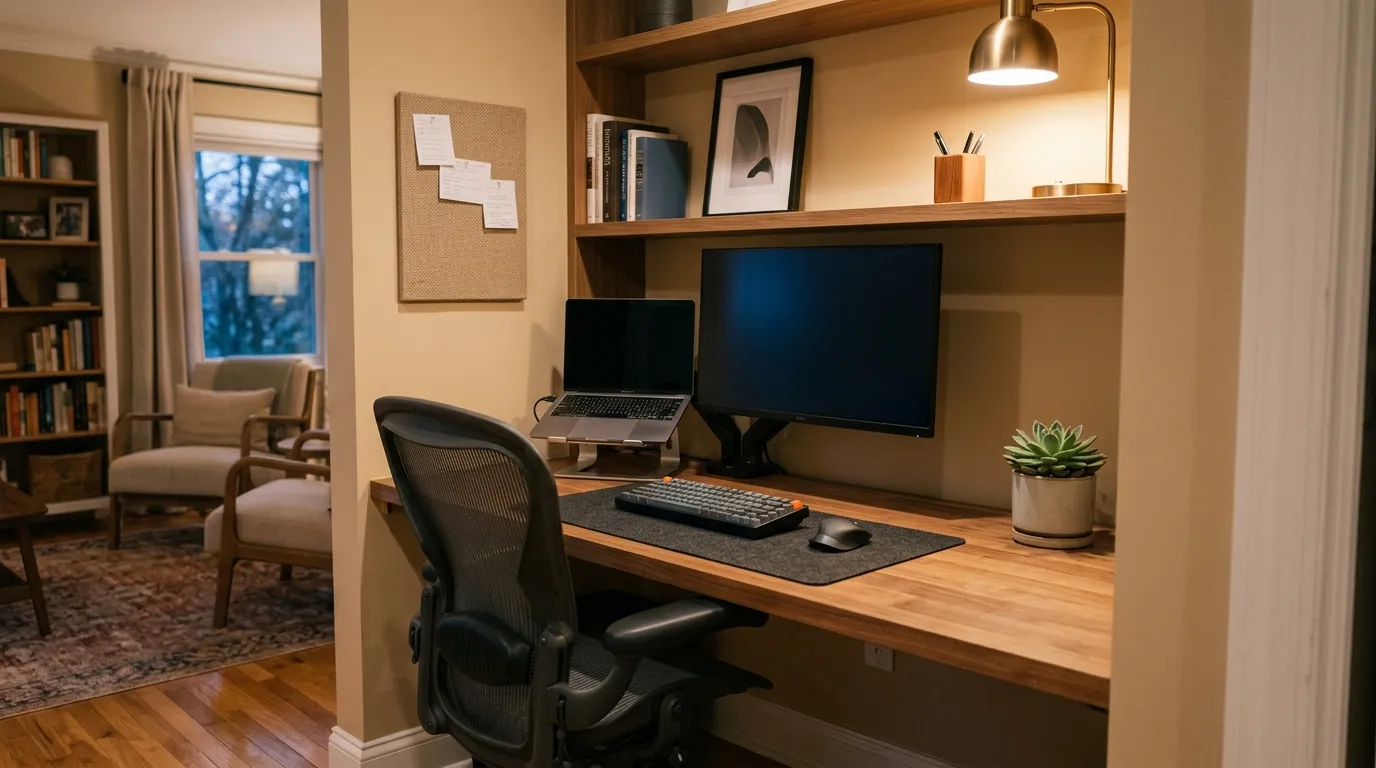
Because the environment does not provide natural transition cues, you have to create them deliberately.
The physical boundary:
If you have a dedicated room for work, close the door at the end of the working day. This is not symbolic — it is a physical signal to your brain that the work space is no longer active. If you do not have a dedicated room, designate a specific area of your home as the work area and, ultimately, physically pack away work-related items: close the laptop, put it in a bag, turn off the monitor, remove your notebook from the table. The visual absence of work equipment in your living space is a meaningful environmental cue.
Do not work from your bed or sofa habitually. The brain associates sleep and rest with those spaces, and habitual working there degrades both the quality of work and the quality of rest. The association is hard to rebuild once established.
The temporal boundary — a shutdown ritual:
Replace the commute with a deliberate shutdown ritual. It does not need to be elaborate. It needs to be consistent and it needs to signal, to your brain, that work is over.
A shutdown ritual that works:
Review your task list for the day. Note what is complete, what is deferred to tomorrow, and what requires follow-up. Write tomorrow's top three priorities at the top of your notebook or task management system. This takes five minutes and eliminates the ambient anxiety of unfinished business — your brain no longer needs to hold those tasks in active memory.
Send a brief end-of-day Slack update to your team or manager if your culture uses them: "Wrapping up for today. Completed [X], [Y] deferred to tomorrow, flagging [Z] for the team's attention. Back at 8:30am." This communicates your departure without requiring a conversation and signals to your team — and to yourself — that the working day has ended.
Close every work application: Slack, email, project management tools, browser tabs related to work. Not minimise — close.
Do one physical thing that has nothing to do with work: a walk, a workout, cooking, a phone call with someone you care about. The specifics matter less than the fact of doing it. The physical or social engagement interrupts the cognitive loop that keeps work thoughts active.
The ritual itself takes 15–20 minutes. It replaces the commute. Done consistently, it reconditions your brain to treat a specific set of actions as the end of the working day — just as the commute once did.
Step 3: Manage Notifications Like a System, Not a Reflex

The notification is the boundary's primary enemy. Every Slack ping, every email preview, every phone buzz is a micro-interruption that pulls attention back to work — even when you have technically stopped.
The system that works:
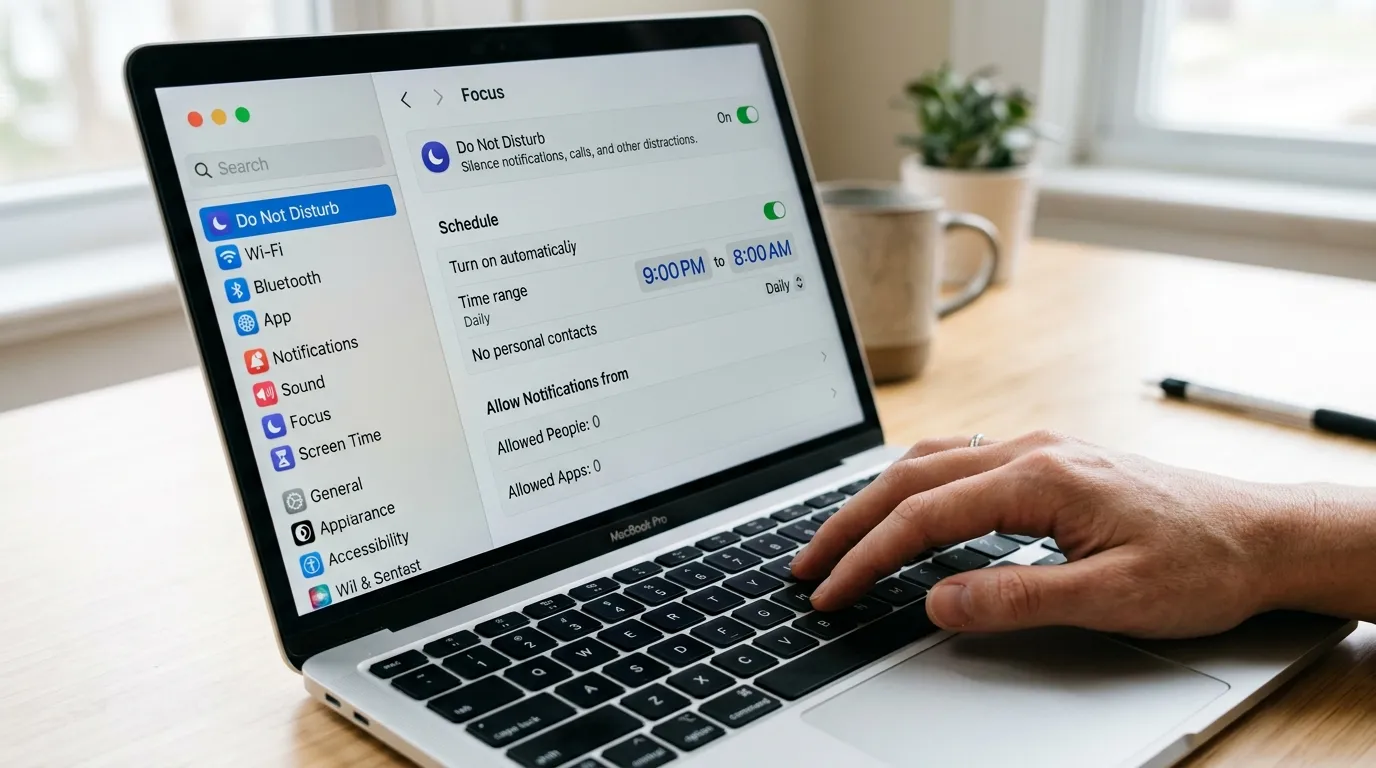
On your work laptop: Set Slack, email, and all work-related applications to Do Not Disturb outside your working hours. Most platforms allow scheduled DND — set it once, from your defined end time to your defined start time, and it runs automatically.
On your phone: Remove work email and Slack from your personal phone entirely — or, if that feels too extreme, move them to a separate, hard-to-reach folder and disable all notifications outside working hours. The physical barrier of having to navigate to the app deliberately, rather than responding to a notification reflexively, reduces out-of-hours checking significantly.
The 24-hour response norm: Establish, explicitly with your team, that non-urgent Slack messages do not require a response faster than one working day. Most things that feel urgent are not. The things that genuinely are urgent need a separate escalation path — a phone call, a designated emergency channel — not an expectation that everyone monitors Slack at 10pm.
The manager conversation: If your manager sends messages outside your working hours and you feel implicitly expected to respond, have the direct conversation: "I want to make sure I'm managing this well — when you message in the evening, are you expecting a response that night, or is first thing the following morning fine?" Most managers will clarify that evening is fine for a morning response. Some will not — and that clarity is valuable regardless of which direction it goes.
Step 4: Protect Your Focused Work Time During the Day
Boundaries are not only about when you stop working. They are also about the quality of the working time you keep.
Remote workers who feel overwhelmed and overworked are often not working too many hours in aggregate. They are working a fragmented, interrupted version of those hours — constantly pulled between Slack, email, meetings, and deep work — that produces a sense of exhaustion disproportionate to actual output.
The solution is time blocking: designating specific blocks of your working day for specific types of work, and protecting those blocks from interruption.
A structure that works for most remote knowledge workers:
8:30am–12:00pm — deep work block. No meetings scheduled. Slack on Do Not Disturb. Email closed. This is for the work that requires sustained concentration — writing, analysis, code, strategy, complex problem-solving. Three and a half hours of uninterrupted focus produces more than six hours of fragmented attention.
12:00pm–1:00pm — lunch and genuine break. Not lunch at the desk. Not a working lunch. A break from screens, from work thoughts, from the home office environment. Walk around the block. Eat at a table that is not your desk. The break is not a nicety — it is what makes the afternoon productive rather than a slow descent into diminishing returns.
1:00pm–3:00pm — communication and collaboration block. Meetings, Slack catch-up, email responses, collaborative documents. This is when synchronous work happens.
3:00pm–5:30pm — second work block. Lighter focus work, tasks that require attention but not deep concentration, end-of-day review and planning.
Block this structure in your shared calendar and communicate it to your team. Most colleagues and managers will respect calendar blocks — particularly if you explain that you are available during the afternoon block for any synchronous needs.
US vs UK: How Boundary Culture Differs

UK remote work culture has moved significantly toward explicit working hours norms since the UK's flexible working legislation updates in 2024, which gave employees the right to request flexible working from day one of employment. The CIPD's 2025 Wellbeing at Work report found that 58% of UK remote workers now have documented working hours agreements with their employers — up from 31% in 2022. That said, UK financial services and legal sectors remain cultures where extended availability is implicitly expected, documented norms notwithstanding.
The UK's Right to Disconnect — not yet legislated as of April 2026, though under active parliamentary consideration following Ireland's and Belgium's implementations — would give UK employees the legal right to disengage from work communications outside working hours without professional consequence. Watch for this legislation: if passed, it will fundamentally change the implicit availability expectations in UK remote work cultures.
US remote work culture is more variable. There is no equivalent federal right to disconnect, and at-will employment means that contractual and cultural expectations of availability vary enormously by employer. Remote-first companies built after 2018 — Basecamp, Buffer, GitLab, and their cohort — typically have explicit async-first and defined-hours cultures. Legacy US employers that went remote during the pandemic often retained the synchronous, meeting-heavy, always-available culture of their office days. Know which type of company you are in before you negotiate boundaries.
Salary and boundaries: There is a documented correlation between clear working hours norms and compensation satisfaction. LinkedIn's 2025 Workplace Wellbeing data found that remote workers at companies with explicit working hours policies reported 31% higher satisfaction with their compensation — not because they were paid more, but because they felt the exchange of time for money was clearly defined and respected. Boundaries are not separate from compensation. They are part of it.
What Most Remote Workers Get Wrong
They wait for permission. The most common boundary failure is waiting for an employer or manager to tell you it is acceptable to stop working. That permission rarely arrives explicitly. The culture communicates it — accurately or not — through the behaviour of leaders. If your manager sends messages at 10pm, most employees infer an expectation, regardless of what the policy says. Do not wait. Define your hours. Communicate them. Operate within them. In most cases, nothing bad happens.
They try to set boundaries with willpower instead of systems. Deciding each evening at what point to stop working is an exhausting and losing battle against habit, guilt, and ambient work anxiety. Automating the decision — defined hours, scheduled Do Not Disturb, a consistent shutdown ritual — removes the decision entirely. The system runs without willpower.
They conflate availability with productivity. Remote workers who respond to Slack instantly, attend every optional meeting, and check email before bed often believe this makes them appear more productive. The opposite is usually true. Research from Microsoft's 2025 Productivity Lab found that remote workers with clearly defined working hours produced 23% more output during those hours than equivalent workers with undefined hours and constant availability — partly because focus time was protected, and partly because the defined end time created a daily urgency that improved prioritisation.
They do not communicate boundaries clearly enough. Setting a boundary in your own head is not setting a boundary. Writing your working hours in your Slack profile and never mentioning them is not setting a boundary. A boundary is communicated, understood, and agreed — with your manager, your team, and your closest collaborators. The conversation is brief and professional. Most people who dread having it find it takes less than five minutes.
They ignore the physical environment. The home office setup has a material impact on boundaries. A dedicated workspace with a door is significantly better for boundary-setting than a kitchen table. If you are making a long-term case to your employer for remote work, a professional home office setup is also part of that case — it signals that you have the infrastructure for high-performance remote work, not just the preference for it. In the UK, some employers provide a home office allowance (typically £200–£500/$250–$625 per year) — check your employment contract and expenses policy.
Real-World Example: The Boundary That Saved the Job

Daniel, a senior software engineer in Leeds, had been fully remote for two years when his manager flagged his performance in a quarterly review. His output had declined, his code review turnaround had slowed, and he had missed two sprint deadlines. His manager attributed it to disengagement. Daniel knew the real cause: he was exhausted.
He had been working an average of 10.5 hours per day for six months — checking Slack from 7am, rarely closing his laptop before 8pm. He was always available. He was rarely effective.
Over four weeks, he implemented three changes:
He defined and communicated his working hours to his team: 9am–6pm GMT, with a two-hour deep work block from 9am to 11am where he was on Do Not Disturb.
He set Slack to automatically pause notifications from 6pm to 9am and removed Slack from his phone entirely.
He built a 20-minute shutdown ritual: task review, tomorrow's priorities, applications closed, a 30-minute walk before dinner.
Results at the eight-week mark: his average working day had reduced to 8.2 hours. His code review turnaround time had improved by 40%. He closed three sprint cycles on time — the first time in six months. His manager removed the performance flag.
He was working less. He was producing more. The boundary was not the problem. The absence of it was.
The Data Worth Knowing
Atlassian's 2025 Distributed Work Report — based on data from 5,000 knowledge workers across 12 countries — found that remote workers who reported clear, communicated working hours boundaries experienced 37% lower rates of reported burnout, 29% higher reported work quality, and 44% higher likelihood of recommending their employer compared to remote workers with undefined or unclear hours. The same report found that team performance metrics — sprint completion rates, code quality scores, project delivery accuracy — were consistently higher in teams with documented async communication norms and defined working hours than in teams without them.
The boundary is not soft. It is structural. And it is measurable.
Three Takeaways and One Specific Action
Key takeaways
Remote work boundaries collapse for structural reasons — implicit culture, absent environmental cues, always-on notification systems — not personal failure. Addressing those structural causes with systems rather than willpower produces lasting results. Willpower applied to a structural problem is always temporary.
The most important boundary is also the simplest: defined working hours, communicated to your team and manager in writing, and automated through notification settings so the decision does not have to be made by willpower each evening.
Boundaries improve performance. The evidence from Microsoft, Atlassian, and LinkedIn consistently shows that remote workers with clear working hours produce more, burn out less, and stay in their roles longer than those without. The boundary is not a concession to work-life balance. It is a performance optimisation.
Your action today — not this week, today: Open Slack, go to Preferences, and set your notification schedule to match your working hours. If your working hours are 9am to 6pm, set Slack to pause notifications outside those times. It takes 90 seconds. It is the single most impactful boundary change most remote workers can make — because it removes the decision to check from the equation entirely.
This article reflects general trends and market data as of April 2026. Employment law, right-to-disconnect legislation, and remote work policies vary by country and employer. Always verify the current legal position in your jurisdiction before making decisions about working arrangements.